
Alpha Logo Gujarati Fonts Converter

Official High Court Gujarati Fonts

To comply with the 2026 Gujarat High Court circular, you must use Unicode fonts. Unlike legacy fonts (LMG/Sulekh), these work on all modern devices, including mobile phones and web browsers.

Download Official Fonts

Lohit Gujarati

The Standard Official Font

ગુજરાતી ફોન્ટ
Download Font (.ZIP)

Noto Serif Gujarati

Formal & Elegant (Print)

ગુજરાતી ફોન્ટ
Download .TTF

Noto Sans Gujarati

Clean & Modern (Web)

ગુજરાતી ફોન્ટ
Download .TTF

📖 How to Install Gujarati Fonts

Follow these steps to install Lohit or Noto fonts. Works on Windows 7, 8, 10, and 11.

1

Download and Unzip

Click the download buttons above. If the file is inside a .ZIP folder, right-click it and select "Extract All" first. You need the file ending in .ttf.
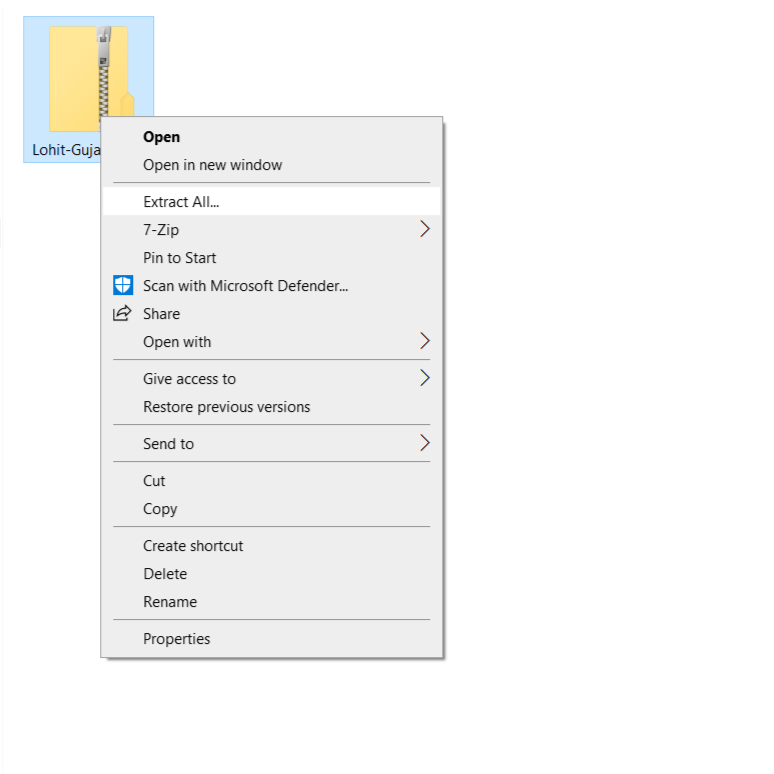
Right click zip file and select Extract All
2

Install the Font

Choose the method for your Windows version:
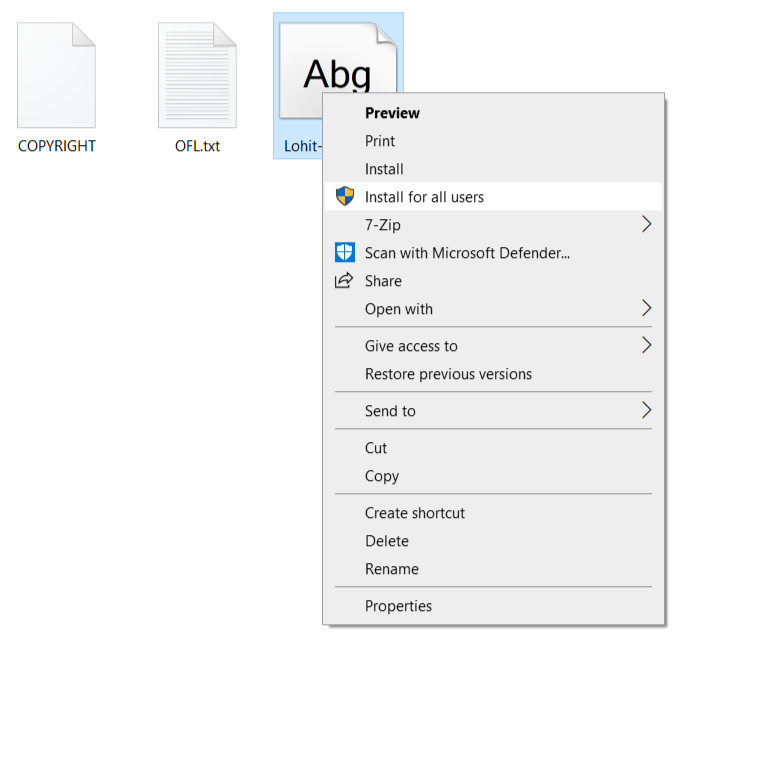
check_circle For Windows 10 / 11 Users: Right-click the .ttf file icon and select "Install" (or "Install for all users"). Right click Install option on Windows 10
history_edu For Windows 7 / 8 Users (Manual Method):
  1. Copy the .ttf font file (Press Ctrl + C).
  2. Go to Start Menu > Control Panel > Fonts.
  3. Right-click anywhere inside the folder (as shown below) and select "Paste".
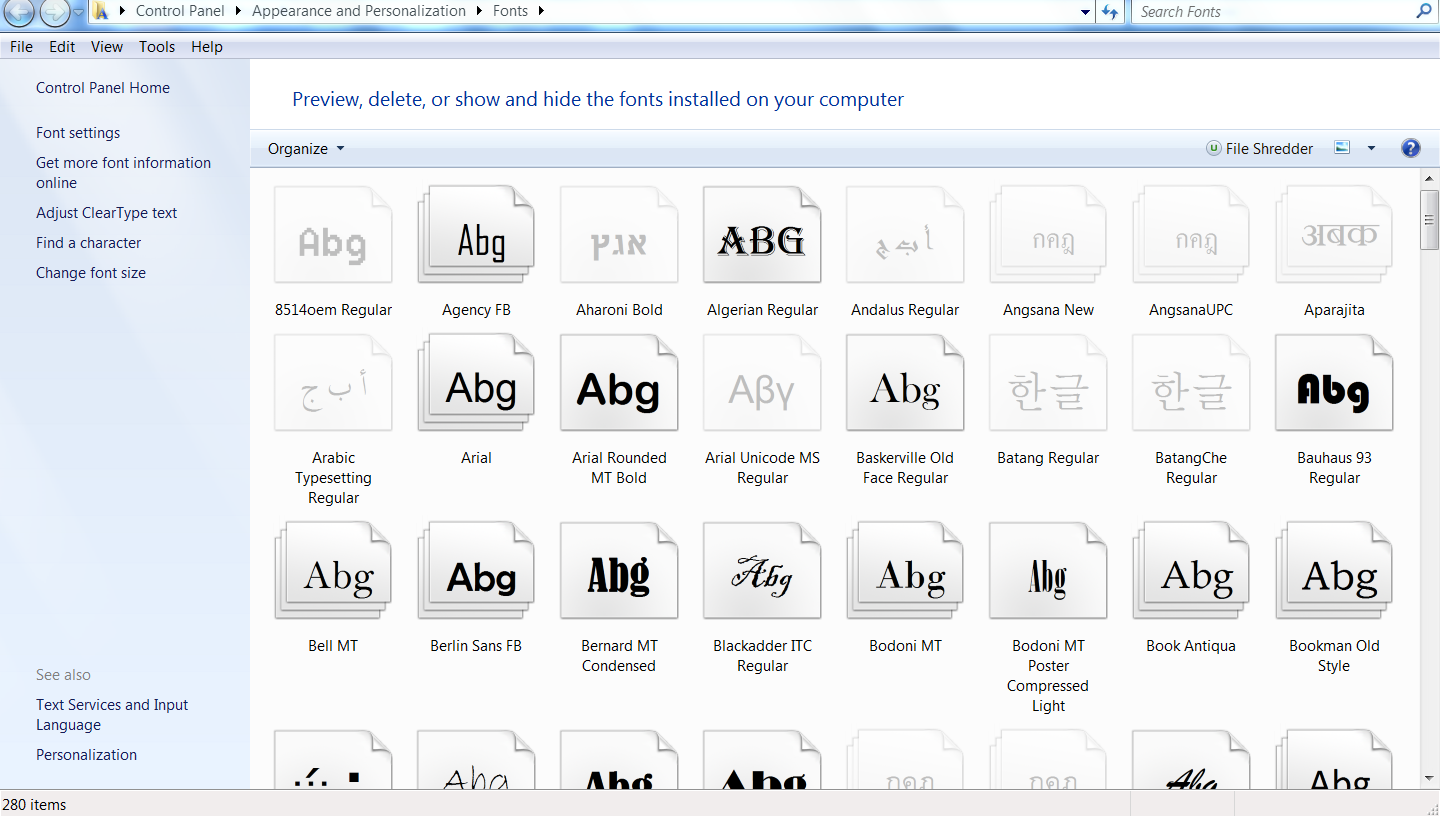
Windows 7 Fonts Folder
3

Verify in Microsoft Word

Open MS Word. In the font dropdown menu, type "Lohit" or "Noto". If you see the font name, the installation was successful! You can now start typing.

🛠️ Troubleshooting Common Issues

Why do I see square boxes (☐☐) instead of text?
This happens when your system does not have a Unicode font installed. Windows usually has "Shruti" pre-installed. Try selecting the text and changing the font to Shruti or Lohit Gujarati.
Why are the 'Matras' (Vowels) appearing in the wrong place?
If you see "ક િ" instead of "કિ", you are likely viewing a Unicode file in software that doesn't support Indic text rendering (like very old versions of CorelDraw or PageMaker). Ensure you are using modern software like MS Word 2013+ or Google Docs.
Can I use these fonts on Android?
Yes! Android has built-in support for Noto Sans Gujarati. You do not need to install anything to read files. To create documents, use the Google Indic Keyboard (Gboard) app available on the Play Store.